Friday, December 25, 2015

Benefits of Buying a Computer From a Computer Store in Mesa (Conclusion)

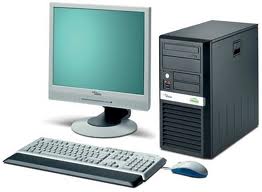
Time to Get a New Computer? |480-834-1318

Warranty Protection: New and Re-Manufactured Computers

Another good reason to buy a discount PC at a computer shop in Mesa  is warranty protection.  While parts that you assemble yourself may or may not have a warranty, they often have legal language that voids the warranty, and leaves you with a very expensive desk sculpture that used to be a computer if something goes wrong.
We aren't that far out of the Great Recession yet, so we all need to be a bit smarter with our money.  Don't dig ourselves into debt, don't make any unnecessary purchases,  cut back our eating out, the list goes on and on.

Buying a Discount Computer is No Cause For Alarm

Buying a discount PC doesn't mean you have to worry.  We offer a warranty on all computers that we sell, whether they are new or reconditioned.  So if there’s a problem you can simply drop the PC off  and we will take care of the issue. With a home-built machine, however, they’re a bit of double-edged sword; long delays in waiting for repairs and additional costs that can eat away any low cost benefit. Also, replacing failed computer components yourself is not always easy unless you buy components from a really good seller. And believe us, they can be harder to find than you might think
Again, warranty protection is crucial.  You want to make sure that you have a good computer at a good price.  You also don't want to be ripped off.  We never recommend that you buy a new computer for as cheap as you can unless you have incredibly rudimentary needs.  We also don't recommend that you automatically assume that because a computer costs a lot that it is the right one either.  Look at it's features.  How big of a hard drive does it have?  How much RAM?  What processor does it have?
So remember, it's good to save money.  However, there are two different ways to do it.  You can either take a chance.  You can build a computer yourself and run the risk of everything going wrong sooner or later or you can buy a discount PC from a professional computer shop.
Read Our Next Article
Softque Premier Computer Services
62 North Stapley Drive
Mesa, AZ 85203
480-834-1318
softque.com

Friday, December 18, 2015

Benefits of Buying a Computer From a Computer Store in Mesa (Contd.)

Why should I buy a new computer? I have an electronics store right down the road from me, can't I just build one? There are several reasons why you should go to a shop instead.
Call Us Today for Computer Repair in Mesa | 480-834-1318

Buying a New Computer Saves You Time and Hassle

Getting the right computer for your needs is all about getting answers to the right questions. What are you going to use the computer for? How much memory are you going to need? What type of motherboard and processor? A computer shop will be able to help you get not just a computer, but the right one.
Simplicity is another key reason to go to a computer shop in Mesa. Building a computer isn’t brain surgery, but the process is complicated and takes some time and expertise. By comparison, buying a custom made computer is both effortless and fast. In addition, you don't need to have the level of knowledge that you will need to build a computer yourself. In addition, you won’t have to deal with sometimes spotty or even absent documentation that often comes with components that you buy online or at an electronics store
As we covered previously, one of the ways a computer shop can save you money is that it  can offer you a re-manufactured computer for a third of the price of a new one. And don't think that re-manufactured  means bad.  In fact,  corporate grade units have higher qualitfy motherboards, more RAM, and on laptops, real steel hinges.
Another thing that a Mesa computer shop can offer you is virus removal. Even with antivirus software, some computer viruses, spyware, and other forms of malware can end up on your computer, slowing down its performance, and damaging your system.

Virus Removal at a Computer Shop in Mesa

Technicians at a computer shop can easily remove these viruses from your system.  And you want to make sure you get any malware off of your system as soon as possible.
So as you see, it's all about service. You can go to a big box store, buy a computer, and go, and not get the level of service that you truly deserve, or you can go to a computer shop in Mesa for an incredible level of service as well as a custom computer system.
Softque Premier Computer Services
1155 South Power Road
Mesa, AZ 85206
480-832-4600
softque.com

Friday, December 11, 2015

Benefits of Buying a Computer From a Computer Store in Mesa

When it is time to buy a computer in Mesa, there are a few things to consider.
Guy a Computer in Mesa | 480-832-4600

Buy From a Computer Shop in Mesa

Buying a new computer or laptop in a big box electronic store is the way most choose to get a new computer system. The reasons are pretty obvious.  We live in a consumer culture, and a lot of people operate under the illusion of convenience.   In fact, most people never even think of other ways of acquiring a computer.
One of the best ways to get a computer is to go to a computer shop in Mesa.  This can be one of the best decisions you can make in fact.  First off, you're buying local.  If you go to a big box store, almost all of the money leaves Arizona.  If you buy from a local shop, however, the inverse is true.  This leads to stronger communities.

Save Money by Buying a New or Re-Manufactured Computer

While we're on the subject of community, a computer shop will also fill a valuable support role: IT support for the elderly.   Being connected to the Internet is a necessity these days.  While some places still offer paper forms, a great many of them including doctor's offices, state or county agencies, or even the federal government have their forms online.  Some elderly people struggle with online access to these forms and the services that they provide,  and the solution can be as simple as someone who can help them with their computer issues.  In addition, a computer shop in Mesa will offer computers at a competitive price.
One of the ways a computer shop can save you money is that it  can offer you a re-manufactured computer for a third of the price of a new one.  Tying back to IT support for the elderly, a great many elderly people are on fixed incomes, and a new computer may strain their budget.  A re-manufactured computer however, is much more accessible.
In addition to being accessible, you can get a corporate quality computer for a cheaper price than a brand new consumer model.  Why would you want one?  Simple, they are a lot more powerful, and are very good quality.  Corporate grade re-manufactured computers have higher qualitfy motherboards, RAM, and power units.
So remember, be smart with your money, and keep it local.  Buy from a computer shop in Mesa.
Softque Premier Computer Services
1155 S. Power Rd. #107
Mesa, AZ 85206
Contact Us

Tuesday, August 18, 2015

Cables and Cords

Pets can chew up your cables | Give us a call or visit our store 480-832-4600
We love our pets, unfortunately they love the cables that make our electronics work. You should periodically check to make sure all cables (especially power cables) are in good condition. Check for any break in the outer protective casing and replace immediately if bare wire is exposed. A cable in disrepair can be an electric shock and fire hazard. Even if you don’t have any pets you should still check your cables. If they are not tucked away it is very easy to run over them with your computer chair, or to step on them throughout the day. Check that you don’t put too much pull on the cord itself. This can lead to the wires inside shorting out, the wires and insulation pulling away from the plug, and even damage to the port the cord plugs into.
If you find you have a faulty cable come on down to SoftQue Computer, we offer a wide selection of cables at a discounted price.
Softque Premier Computer Services
1155 South Power Road
Mesa, AZ 85206
480-832-4600
softque.com

Tuesday, August 4, 2015

Strange Noises

Computers make all sorts of noises. When they are running properly very little noise should come from them. Here are some examples of the noises you may hear and what they most likely belong to.
Get Computer Repair in Mesa | 480-832-4600
Fan Noise
It’s typical to hear the movement of air from the fans, especially when the temperature starts to rise. When the fan’s ball bearings start to go out they will let you by making a loud constant whirring, squeeling, or grinding sound.
HDD Noise 
Hard drives are usually quiet, if you put your ear close you may be able to hear the parts moving inside. When HDDs start to reach end of life they can make an assortment of sounds. Clicking, squeeking, buzzing and chirping are the most common bad HDD sounds.
Disc Drive Noise 
Most people are familiar with the sound a dvd or cd makes when it’s spinning up, though loud it is a perfectly normal sound. If it starts clicking or grinding you have a problem.
Capacitor and Coil Noise 
Capacitors are the small cylinders on the circuit boards inside the computer. Coils are bits of copper wire wrapped into a coil shape, usually around a magnet. When either of these starts to go out they produce a high pitched whine.
If your computer is making a sound you don’t recognize, or one of the sounds on this list, bring it in to SoftQue Computer. Our technicians will be glad to help.
Softque Premier Computer Services
1155 South Power Road
Mesa, AZ 85206
480-832-4600
softque.com

Friday, May 29, 2015

Can't Get on the Internet?

What can you do if you can't get on the Internet?  For a lot of people these days the thought of a world without internet is a scary concept. So much of our daily lives, from paying bills to keeping in touch with loved ones rely on a strong internet connection. Our reliance on this wondrous tool becomes all too apparent the second we lose it.
Diagnose Internet Connectivity Issues Mesa, AZ | 480-832-4600
Internet Connectivity Issues? Call Us |
480-832-4600
Diagnose Internet Connectivity Issues Mesa, AZ | 480-832-4600

Why Doesn't the Internet Work?

Why doesn’t the internet work?” We hear it all the time. The problem is never the internet itself. If the internet were to go down most of the world would plunge in to chaos. Individual sites can go offline but the internet as a whole keeps chugging along.
More times than not the issue lies with the computer receiving the internet. This can be the result of a malware infection, windows corruption, bad drivers, or incorrect settings. It’s a sad fact that a malware infection can actually cause every one of those other issues.

Diagnosing an Internet Connectivity Issue

While the computer is most likely the culprit, trouble connecting to the internet can also be the result of your ISP’s hardware going bad. Modems usually last 2-4 years before needing to be replaced and routers last a few years beyond that on average. The first step in diagnosing an internet connectivity issue should be to call your service provider. Most internet providers can send a signal to your modem to check if it is operating how it should be. If your modem and router tests fine you should bring in your system to be tested. A service SoftQue Computer happily provides.
Don't want to bring it in?  If desired or needed, we can also come right to your home!
Softque Premier Computer Services
1155 S. Power Rd. #107
Mesa, AZ 85206
480-832-4600
Contact Us

Friday, May 22, 2015

Memory and Storage

Buying a computer can be a confusing process. You read the little piece of paper that’s supposed to tell you what you are buying and you find a bunch of numbers and unfamiliar jargon.
When buying a computer, know the difference between memory and storage |480-834-1318
The most common mistake most people make is not knowing the difference between Memory and Storage. We hear people use the terms interchangeably all the time and that can lead to disappointment with your purchase.

What is the Difference Between Computer Memory and Computer Storage?

What is the difference between computer memory and computer storage? 
Memory is non-technical shorthand for the system’s RAM. In most cases the number next to it will be 4, 8, or 16 followed by GB. RAM is a very fast go between that the computer places your files and programs into to improve performance. That is why the number is so small, and why a larger amount may increase performance. The more RAM you have the more it can load into this temporary buffer.
Storage refers to the system’s Hard Drive. Common numbers are 500 or 750 followed by GB and 1 or 2 followed by TB. This number refers to the amount of files and programs you can save to the computer. A larger amount means more space for your stuff. Once storage reaches 1000 GB they adjust the scale and start counting again at 1TB. Unlike RAM, more Hard Drive space will not speed up the computer, although you can get faster Hard Drives to store your files on but the cost vs storage space increases greatly. At SoftQue, we can help you may sense out a your next Computer Purchase, come by and see us.
Softque Premier Computer Services
62 North Stapley Drive
Mesa, AZ 85203
480-834-1318
softque.com

Friday, April 17, 2015

Summer Time Blues

Arizona doesn’t give us much of a chance to enjoy spring. Temperatures are already reaching the 90s and it’s only just April! While regular computer maintenance should be a fact of life for any PC owner, it becomes especially important as that old thermometer rises.
Computer Repair | 480-834-1318

Heat

Heat is one of the top killers of any electronic hardware. Just about every computer has a fan to combat this. High end computers sometimes have 5, 6 or even more. While these help to keep heat away from important components they also suck in dust.

Dust / Dirt

The Valley is a dry, sandy place and all that dust in the air in combination with summer temperatures can be a system killer for an otherwise healthy PC.
SoftQue Computer recommends blowing the dust out of the tower or laptop with a can of compressed air at least once a month. Also, while the portability of laptops and notebooks have increased their day to day usage, it is ill advised to leave them in your car for long periods of time. Not only are they more likely to get stolen but the temperature inside a parked car during the summer is even hotter than the temperature outside.

Softque Premier Computer Services
62 North Stapley Drive
Mesa, AZ 85203
480-834-1318
softque.com

Friday, April 3, 2015

Modern Virus / Malware Threats (Part Four)

To continue our discussion on Virus/Malware infections, we will discuss The following dangers:
computer parts
Protect Your Data, Get Virus Removal in Mesa | 480-832-4600

Spyware Toolbars Viruses / Trojans

Spyware

Most spyware is not malicious but causes performance problems. As you travel around the internet sites you gather files called cookies which may contain pieces of spyware that live your computer. This allows the website to share data about your browsing habits and the parts inside your computer with 3rd party advertisers. Most cookies are not spyware and most spyware does not have access to sensitive information on your computer. It can, however, slow down your computer over time and clog up your hard drive. It's not a good idea to leave Spyware on your system, it needs to be cleaned off regularly.

Toolbars

It is Easy to accidentally install with legitimate software just like adware. You will notice your view of the internet shrinking as more and more Toolbars dock themselves below the address bar. Your browser will start to become sluggish and unresponsive. There are two classes of toolbars. The first type are simply an annoyance, while the other can carry other infections with them. The second type can hijack your browser, steal your personal info and even open up a backdoor to your computer like a trojan virus (named after the Trojan Horse in Greek Mythology).
e.g. Type 1: Yahoo Toolbar, Ask Toolbar, Google Toolbar
e.g. Type 2: Babylon Toolbar, Conduit Toolbar, Snap.du Toolbar

Viruses / Trojans

While less common these days, Viruses are still a huge threat to your computers safety. Designed to infiltrate and disrupt the operation of your computer, viruses disable a lot of the tools designed to keep your computer safe. Often on computers with lots of malware there is a virus that opened up the computer to those infections. Trojans are a type of virus made explicitly to open a backdoor to your computer. Named after the famous horse of mythology, they function in the same way, allowing attackers past your defenses and leaving your system at grave risk.
Virus/Malware infections can be serious business and there may actually be little or no indication that they have infected your computer. At SoftQue, we are experts in finding, identifying and removing these threats for you. Come in for a check and tune up today!
Softque Premier Computer Services
1155 South Power Rd.
Mesa, AZ 85206
480-832-4600
softque.com

Friday, March 27, 2015

Modern Virus / Malware Threats (Part Three)

To continue our discussion on Virus/Malware infections, we will discuss The following dangers:
Beware of Fake Antivirus Software | Call Us For More Info | 480-834-1318

Fake Anti-Virus / Ransom Ware

One of the most common and insidious types of malware are Ransom wares. The goal of these infections is to force the user in to paying money to restore functionality back to their computer. They employ a number of different tactics, though fear, is at the heart of every ransom ware attack. Fake anti-virus programs will tell you that you are majorly infected and need to pay X number of dollars to clean it up. Others will lock out your computer and tell you that you need to pay X number of dollars or the FBI or similar organization will arrest you.
Once they have your money they do not remove the infection, and in some cases they now have your credit card info. The latest example of these ransom wares will encrypt all the files on your hard drive and, unlike the others, you will need to pay to get them unencrypted. A good backup of your important files is the best offense to this type of malware. Some of these "file locking" algorythums are so sophisticated that it is virtually impossible to recover your files. If you are on a business of home network, these locking infections can flood the entire network and all of your computers in minutes, locking everything in its' path. Back up your files regularly!
e.g. CryptoWall, FBI Warning, WinAntiVirus, CryptoLocker

Rootkit

Hidden deep inside the computers system files, Rootkits are designed to run malicious programs in the background. A computer with a rootkit will show no signs of infection at first, but as the malware pours in the system will become unstable and slow. Most forms of malware can infect your computer through Rootkits. These infections CAN NOT BE REMOVED REMOTELY, they typically load onto your system before Microsoft(r) Windows ever starts up. SoftQue can usually removed these threats for you in shop.
We will continue this discussion in our next post.
So remember, there are a lot of shady organizations on the Internet.  They will prey on your fears and offer you an illusion of security.  Don't fall for their claims, and never provide payment information.  Call a computer repair service in Mesa, AZ for full computer virus protection.
Read more on this subject here.
Softque Premier Computer Services
62 North Stapley Drive
Mesa, AZ 85203
http://www.softque.com
480-834-1318

Friday, March 20, 2015

Modern Virus / Malware Threats (Part Two)

To continue our discussion on Virus/Malware infections, we will discuss The following dangers:
Virus and Malware Removal | 480-832-4600

Phishing / Data Theft
Malware

Phishing / Data Theft

Unexpected bank charges and negative changes to your credit are the tell-tale signs that you have been a victim of Data Theft. There are a few common ways this can occur. Data miners and key loggers are less common these days giving the rise in popularity of Phishing. Fake e-mails and fake websites are the tools of the phisher, as they try to get as much personal info out of you as they can. It takes surprisingly little personal info to steal and destroy a person’s financial identity.
e.g. Fake Emails, Fake Giveaway Websites, Fake Phone calls

Malware

The umbrella term for harmful, infectious threats is Malware. Viruses are separate from malware, however they usually go hand in hand. A lot of viruses open the computer up to install malware, and in turn malware makes the computer more susceptible to viruses. Unfortunately, tradition Virus Protection Programs are powerless over these infections and simply can't stop them. There are programs that can help, but there is no Silver Bullet to prevent these infections. At SoftQue, we can suggest software and Safe Surfing behaviors that can help keep you safe!
We will continue this discussion in our next post.  To read the previous post in this series, please click here.
Softque Premier Computer Services
1155 South Power Rd.
Mesa, AZ 85206
480-832-4600
softque.com

Friday, March 13, 2015

Modern Virus / Malware Threats (Part One)

Get Malware Removed in Mesa | 480-832-4600
There are several categories defining the general term Virus/Malware.  Cyber space is loaded with these threats waiting to pounce on unsuspecting consumers.  The following list identifies these threats and may help our customers to understand them better.
We have organized these threats in the following categories:

Adware
Browser Hijacker
Phishing / Data Theft
Malware
Fake Anti-Virus / Ransom ware
Rootkit
Spyware
Toolbars
Viruses / Trojans

Over the next few posts, we will explain each category and the risks involved. In this post, we will discuss The following dangers:

Adware
Browser Hijacker

Adware

Popups, Ads and Toolbars are all examples of an Adware Infection. While this kind of attack is mostly just a nuisance it can cause your system to slow down and be susceptible to other, more dangerous forms of cybercrime. Adware is one of the easiest infections to get, but can be difficult to remove. It is often bundled with legitimate software, (hoping that you don’t uncheck the install box during setup).
e.g. Toolbars, Coupon Programs, Deal Finder Programs. At SoftQue, we are experienced in removing these threats and restoring your computers' performance.

Browser Hijackers

Ever try to go to your homepage and find yourself somewhere completely different? Ever try to go to a website but your browser will not leave the page it’s on? You may be the victim of a Browser Hijacker. This malware redirects you to a specific website that is often malicious and disguised as a search engine. Sometimes this will only affect one browser, more times than not, it will be Internet Explorer. Firefox and Chrome are safer alternatives but far from bulletproof.
e.g. Conduit, CoolWebSearch, Searchnu. You may need professional help to be rid of these cyber pests! At SoftQue, we can help!
We will continue this discussion in our next post.
Softque Premier Computer Services
1155 South Power Rd.
Mesa, AZ 85206
480-832-4600
softque.com

Friday, March 6, 2015

Converting to Windows Server 2012: Time is Running Out

Are you still running Windows Server 2003? There are several key reasons why you might want to begin converting your network over...

Windows Server 2012:  Features and Support

server
Time is Running Out. Convert to Windows Server 2012 | 480-834-1318
If you are still running Windows Server 2003, there is no easy way to tell you: time is running out.
As of July 14, 2015, Microsoft will no longer support Windows 2003.   Windows Server 2003 is currently in what is known as the extended support phase.  While some mainstream support features are still around, such as pay per incident and security updates, after the July termination date, free incident support ends and there aren't any feature upgrades.  What this means is that there will no longer be any patches available for this product, or even more of a concern, Microsoft will no longer issue security updates for Windows 2003.
Even with fairly comprehensive anti-virus protection as well a firewall, without security updates the odds of malware attacking your network increase significantly.  If you continue to use Windows Server 2003 past its support date, it puts your network, and more importantly, your data at risk.
The security improvements that Windows Server 2012 R2 offers can help defend against industrial espionage as well as malware and  other security risks.  In addition to the potential security risks that sticking with Windows Server 2003, there is also the lack of support for any technical problems.  In addition, if your business is in a regulated industry such as healthcare and the payment card industry, your business would be out of compliance which can mean having trading partners sever ties with your business, or in a worst case scenario, you may find your business fined for these non compliance issues.  If you're dreading an upgrade, then you might want to know that converting to Windows Server 2012, R2 also has a great many pluses, bonuses, and features as well.
For example, Windows Server 2012 R2 offers powerful backup capabilities to allow a network administrator to back up any node on the network easily, with little to no downtime.  In addition, Windows Server 2012 R2 networks are incredible with how much scalability they offer as well as script execution capabilities.  However, Windows Server 2012's features aren't confined to server side applications.

Converting your Network Server to Windows Server 2012: a Clear Choice

Converting your network over to Windows Server 2012 is a clear choice for your business to succeed. Windows Server 2012 R2 shows Microsoft's clear investment in server-side technologies to enable anytime, anywhere access as well as branch office and main office connectivity.
In addition to it's connectivity features, Microsoft Windows Server 2012 also offers an enhanced version of the NTFS system, called the Resilient File System (ReFS). ReFS writes to different locations on disks which improves data resiliency in the event of a power failure during a write process. So, better features, full support, and better security. It's a clear choice of what you have to do for your business: upgrade to Windows Server 2012 R2.
At Softque, we specialize in upgrades like these. We'll make the transition as seamless as possible for you with a minimum of downtime. Call Softque today for a consultation and analysis of your upgrade project.
Softque Premier Computer Services
62 North Stapley Drive
Mesa, AZ 85203
http://www.softque.com
480-834-1318