Friday, April 25, 2014

Computer Virus Removal Part 3: Spyware

Part three of our series on computer virus removal focuses on spyware.
People have a lot of questions about it. What is spyware? Should I be concerned if spyware is on my system? Where does spyware come from?

What is Spyware?

Call Us Today for Spyware Removal | 480-834-1318

Spyware can be a form of malware. Among several scary things it does, it gathers information from your computer and sends it to another computer without your knowledge or consent. Spyware in some cases can also take over your computer and allow someone else to operate it remotely. If you have spyware, you want to contact a service that does computer virus removal to take it off your system.
Should you be concerned if spyware is on your system? Well, think about it. Would you open the front door of your business or your home to a mysterious stranger and give him or her access to your bank accounts, personal files, and property records? How about letting him see what you look at on the Internet? Want this stranger interrupting you every few minutes to recommend products? Some spyware can also change the settings of your computer, slow down your Internet speed, and change your software browser settings to what it wants, not what you want. Those are just some of the things that spyware can do, and why you should get spyware removed from your computer or laptop.

Where Does Spyware Come From

A lot of people have spyware on their systems from something as simple as installing software. They may download a piece of legitimate software without realizing that the site they got it from had malware present as well. What's really scary about spyware is the fact that it often runs invisibly. You could have it sitting there on your hard drive, quietly recording your login information, credit card numbers, and demographic information, and sending it somewhere else.
Spyware was recently in the news, and it impacted millions of people. Target and Nieman-Marcus both had their systems compromised by spyware, causing customer data to be uploaded to cyber criminals. So if it can affect large corporations with "secure" computer networks, it can obviously affect your computer as well. So, call a computer service and remove spyware from your computer now.
Softque Premier Computer Services
1155 S. Power Rd. 107
Mesa, AZ 85206
480-832-4600
Contact Us

Friday, April 18, 2014

Computer Virus Removal Part 2: Antivirus Software and Doing it Yourself

If your computer is infected with a computer virus, your best bet is to contact a professional to have it removed. Why? Well, it is all in the way computer viruses operate.

What About Antivirus Software?

Get Virus Removal Done and Protect Your Computer | 480-832-4600
Get Virus Removal Done and Protect Your Computer |480-832-4600
Antivirus software is good for removing a computer virus from your system; however, as we covered in our last article, antivirus software is only as good as its last software update. To make matters worse, some antivirus software, including some high level name brand antivirus software will only update your database free of charge for a certain period of time such as 90 days. Then you have to pay a monthly fee to be protected.
Are we recommending that you do without antivirus software? Not at all. In fact, if you don't have any sort of anti-malware software on your system, you should get it installed quickly. What we are saying is that you just want to make sure you get your computer in for a checkup to remove any viruses and malware that may have been missed.

Computer Virus Removal: Can't I Take The Virus Out Myself?

If a computer virus merely created one file and one directory, it would be a simple matter to remove the files yourself. However, that's not how malware works. Malware scatters itself throughout your system, infecting directories, registry keys, and other pieces of software that affect the way your computer operates. You could delete one file and/or folder, only to find that there were dozens or hundreds that you missed.
That's why you contact a professional instead. They can find the pathways that a piece of malware made on its way through your system. A computer tech acts like a doctor, repairing damage caused as well as eradicating an infection as well. So remember, call in a service that specializes in computer virus removal.
This concludes part two of our series. For more information on malware removal, please read part one and three as well.
Softque Premier Computer Services
1155 S. Power Rd. 107
Mesa, AZ 85206
480-832-4600
Get Computer Virus Removal

Friday, April 11, 2014

Computer Virus Removal Part 1: Symptoms of a Virus

What are the symptoms of a computer virus? Doesn't antivirus software stop computer viruses? My computer is running slowly; do I have a computer virus?

What Are The Symptoms of a Computer Virus?

Protect Your Computer from Malware | 480-832-4600
There is no universal symptom of a computer virus. In fact, like some real life diseases, some computer viruses can have no symptoms. They can be triggered by a date or other stimulus. A good way to picture computer viruses are like a moving target. They leave a wake of damage in a computer and/or a network. Are computer viruses really that dangerous? Even a virus that merely copies a message to your system has the capability of corrupting files including system files that can make your computer stop functioning. You want to remove a computer virus as quickly as possible. In the long run, there really is no such thing as a "harmless" computer virus.
We're often asked by some of our customers: 'My computer is running slowly; do I have a computer virus?' While there are no universal symptoms of a virus, there are some signs that may indicate your computer is infected. One sign of a computer virus is if your computer slows down significantly. While this symptom may be other things such as system errors or operating system decay, it can also be a sign that you have a virus. Some computer viruses are self-replicating. In other words they copy themselves, so what starts as one file ends up being hundreds or even thousands.

Computer Virus Removal: Make Your Computer Healthy Again

A lot of times, particularly in an older computer system, people think that any performance issues are due to the age of the equipment. It can be that, however, there is more than a good chance you have a computer virus. Often times, when your computer is infected, it acts almost as if it is possessed. Weird error messages, drives disappearing, network connections dropping for no reason, and other things may be even more signs of viruses.
Doesn't antivirus software stop computer viruses? Yes and no. Virus software is only as good as your last software update. If you run a virus scan on your system using an older database, it is possible that it can miss something, as the next portion of this article will cover. It is also a sad truth that not all infections can be stopped by the antivirus programs. So remember, get computer virus removal as soon as possible and keep your system running well and safe.
Softque Premier Computer Services
1155 S. Power Rd. 107
Mesa, AZ 85206
480-832-4600
Get Computer Virus Removal

Friday, April 4, 2014

Computer Repair Spotlight: Motherboards and Hard Drives

One type of computer repair every computer needs sooner or later is hardware-related. Most people know that computer hardware is the physical components of a computer, as opposed to software, which refers to the computer programs and applications that make the computer run. Of hardware repairs, two components that will go bad sooner or later are your hard drive and your motherboard.

Computer Repair in Mesa: Fix Your Hard Drive

computer_repair
Computer Repair Can Also Be Because of Your Motherboard | Call Us Today | 480-834-1318
How can you tell if your hard drive is going bad? Even though computers have made several advances in technology over the past few decades, there are also some components that are still relatively rudimentary, and haven't changed that much. Most hard drives for example still use oxide, and are magnetic. Sooner or later, the magnetic head will crash into the disk, and believe us, as computer repairs go, a hard drive crash is one of the hardest to bounce back from.
After a while, the oxide that is on a hard drive starts to wear out, which means that files start fragmenting, and sectors start going bad. If your computer is older, a good thing to remember is that hard drives start showing their age at about 3 1/2 years. You must back up your files frequently to avoid or reduce data loss, and get your computer into a computer repair shop at the first sign of trouble. What about a motherboard though?

Computer Repair: Motherboards

You start your day. Maybe you get some coffee. You turn on your computer, the lights come on, you hear the hard drive humming, and then...nothing. Your computer won't boot up, and even some of your peripherals such as your keyboard and mouse don't work either. It's then that you realize you have a problem on your hands that needs professional computer repair.
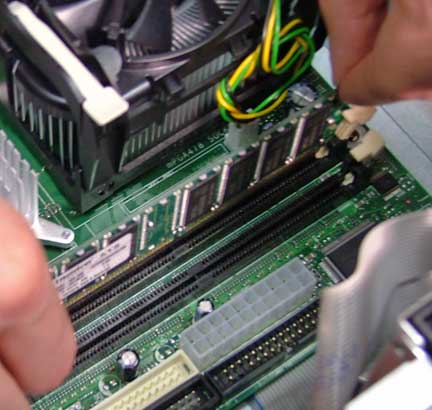
A motherboard is much like a building foundation. Everything hardware related rests on the motherboard from your peripherals to memory. If the motherboard fails, your computer won’t come on at all. That's when you need to get a hold of someone who specializes in computer repair.
Remember, no one wants computer issues. We want and expect our computers to work right all the time, every time. However, like all machines, it is inevitable. They break down and you will need computer repair done.
Softque Premier Computer Services
62 N Stapley Dr.
Mesa, AZ 85203
480-834-1318
softque.com