Saturday, November 1, 2014

Should You Buy a Reconditioned Computer?

Should you buy a reconditioned computer? Possibly. And the quality of these computers may actually surprise you.
Buy a Reconditioned Computer in Mesa | 480-834-1318

New Vs. Reconditioned Computers

Because of new manufacturing techniques, new computers are even more affordable than ever, however, even with the price drop, a high end system is still going to sold at a high end price. A reconditioned computer may be actually a great way for you to get a fancier system.
There are cheap deals for reconditioned computers compared to new computers. Refurbished computers may or may not be lower quality, however, refurbished doesn’t necessarily mean that its bad, it generally means that the hard drive has been erased, rebuilt and other modifications or upgrades have been done as well. Often, remanufactured systems are of a higher quality than new “consumer” grade computers.

Buying Refurbished

When buying a refurbished computer, you should always ask for a guarantee and a warranty. You should also verify if the brand has a good reputation. Look at online reviews based on the computer make and model. Do not ever buy outdated computers. There is a reason the computer market moved on, as did the public.
Prior to buying a reconditioned computer you should figure out all the requirements you need for your computer. For instance, if you are using it to watch movies then it should have a DVD drive. If you are using it to play games, it should have an excellent graphics card. It’s silly to buy a high computer when all you do is to surf the Web.
On the whole, buying reconditioned is the same as buying new. You have to know what you want and need, and whether the computer in question will fit those needs.
Softque Premier Computer Services
62 N Stapley Dr.
Mesa, AZ 85203
480-834-1318
softque.com

Friday, October 24, 2014

The Significance of Computer Repair Services

Computers are sophisticated devices that need to be serviced keep them running correctly, hence the need for computer repair. There are many services providers offering computer repair on their online websites, but it’s not easy to find the best provider. Therefore, you should try to search for a service provider that has years of experience in this field.
Call Us Today for Computer Repair in Mesa | 480-834-1318

Why the Right Computer Repair Service Matters

These days both businesses and individuals use computers to carry out different tasks every single day. We live in a technological society, and we are all part of the Digital Age. As such, we cannot work without computers or other forms of technology. Computer repair professionals can not only install operating systems and update antivirus programs, but can also carry out hardware repairs and replacements.
Computer repair is not only the fastest but also the most cost effective option for you, whether you're a business owner, or an individual. While computers have dropped a bit in price and can work for years if they are maintained properly, replacing a computer can be prohibitively expensive as well as a hassle.
Once you hire a computer repair service, they are very much on the job and will know what to do to get you working

What to Look for in a Computer Repair Service

When you begin a search for a professional computer repair service, you should look for the following qualifications:
• Companies that can knowledgeably answer all your questions regarding your IT problems;
• Companies with a good reputation in the community
Computer problems never happen when it is a good time. In fact, they are most likely to happen at the worst possible moment. As such, you should always be prepared by selecting and screening a computer repair service for maintaining your computer.
So remember, you need your computer. As such, find the computer repair shop most likely to fix your problem and not add to it.
Softque Premier Computer Services
62 N Stapley Dr.
Mesa, AZ 85203
480-834-1318
softque.com

Friday, October 17, 2014

Buy a New Computer: Five Steps to Follow

Once you have decided to buy a new computer, you will still need to answer a number of questions before you plunk down the money. First off, ask yourself some questions. The answer to these questions will determine the right computer for you.
Time to Get a New Computer? |480-834-1318

Computer Buying Questions

What do you need the computer for? Before you buy, you need to decide what you need the computer for. If you want one for work, then you just need something simple and easy to use. If you are looking for a home or family computer, on the other hand, then you'll probably need something with fast Internet and a broad spectrum of programs. And of course, if you are a multimedia fan, and work with multimedia; go for a nice and a high end quality machine.
What features do you want in a computer? When buying your new PC, look at the features of each computer and see if it is for you. These are some example specifications:
1-2 GHZ Processor, 2 GB RAM, Decent Graphics Card, 40-160 GB Hard Drive, 802.11 b/g/n Wi-Fi and Gigabit Ethernet
2 GHZ Processor, 2 plus GB RAM, 320 plus GB Hard Drive, DVD/CD-ROM Drive. Integrated Graphics Card, Gigabit Ethernet, 3 plus USB 2.0 ports and 802.11b/g/h Wi-Fi.

Software and Operating Systems

What is the Best Operating System for a Computer?
Window XP and Linux are less demanding on your RAM and processor. But now Windows XP is no longer supported. On the other hand, Windows 7 and Windows Vista can be very demanding and use a lot of your system resources; therefore, select an OS that fits your need as well as budget.
What kind of monitor do you need? Look for any type of monitor you consider good and you can see. A good monitor should range from 17” to 22” or more. In addition, its technology should be up to date.
Which accessories do you need? Accessories are often one of the important factors considered when buying a new computer. Do you require a specific mouse for the games? Does the key board require pre-made buttons for playing and stopping music? Will you be using a printer? How are the speakers? How are its external hard drives? How is the Webcam? You must answer these questions before you buy a new computer so that you can be happy when you are using your device.
When you answer these five questions, then you can buy a new computer that will make you happy.
To read more about buying a new computer or repairing an existing computer, please read one of our previous articles here.  
Softque Premier Computer Services
62 N Stapley Dr.
Mesa, AZ 85203
480-834-1318
softque.com

Friday, October 10, 2014

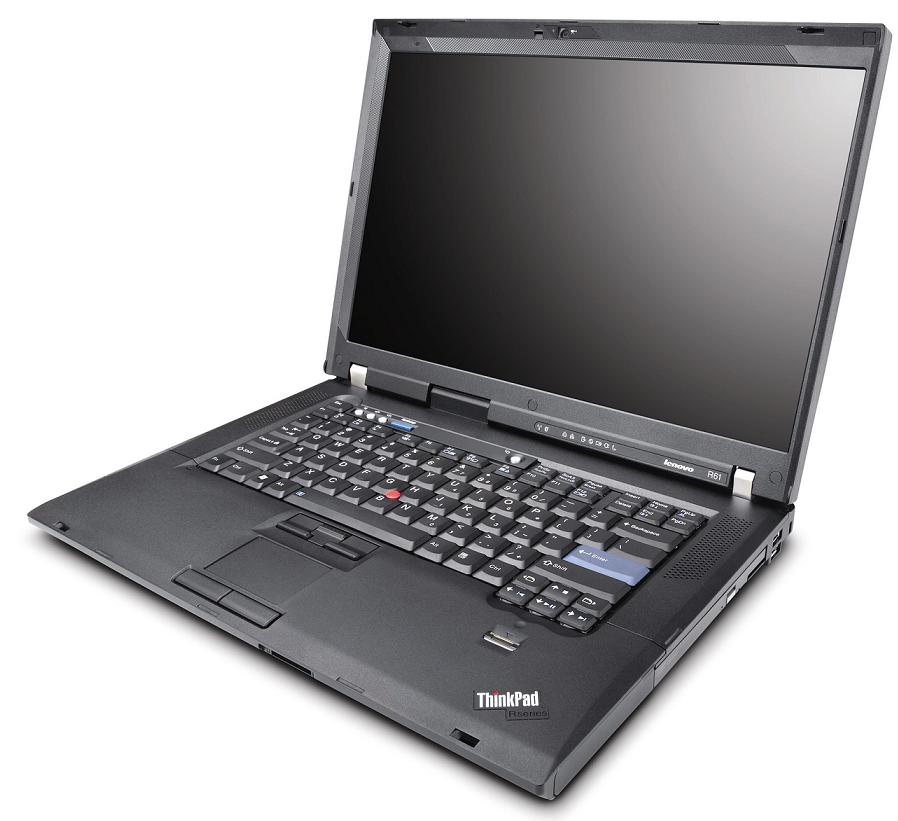
Laptop repair should never be tried on your own. Anyone with a bit of knowledge about computers will tell you that working on a laptop can be much more time-consuming and challenging than corresponding repair procedures for most desktop computers. So why are laptops more challenging to repair than desktops? Let’s have a close look at some reasons.
Laptop Repair Mesa, AZ | 480-834-1318

Laptop Repair and Their Basic Design

Laptops are designed to be portable. That means that their basic architecture is both compressed and compact. Taking apart a desktop computer may sometimes be fairly easy and straightforward. With a screwdriver, you can usually get access to all the internal components. In desktops all components and devices are conveniently laid out in front of you, so you can easily reach what you need to replace, and you can modify parts within minutes.
With laptops, however, a laptop has be opened up in a specific way. And this can be different for each model and manufacturer, so you may not know what to do to get yours opened up. You would need to be familiar with your make and model, or have knowledge of all of the models on the market.

Repairing a Laptop Isn't Easy

Once you successfully manage to expose its internal components, then things get even trickier. While laptops are built pretty much in modules and components, each part has its own place. Laptop repair depends on which part is broken down. In some cases, it might even be impossible to replace the damaged part, or you may end up damaging a few more.
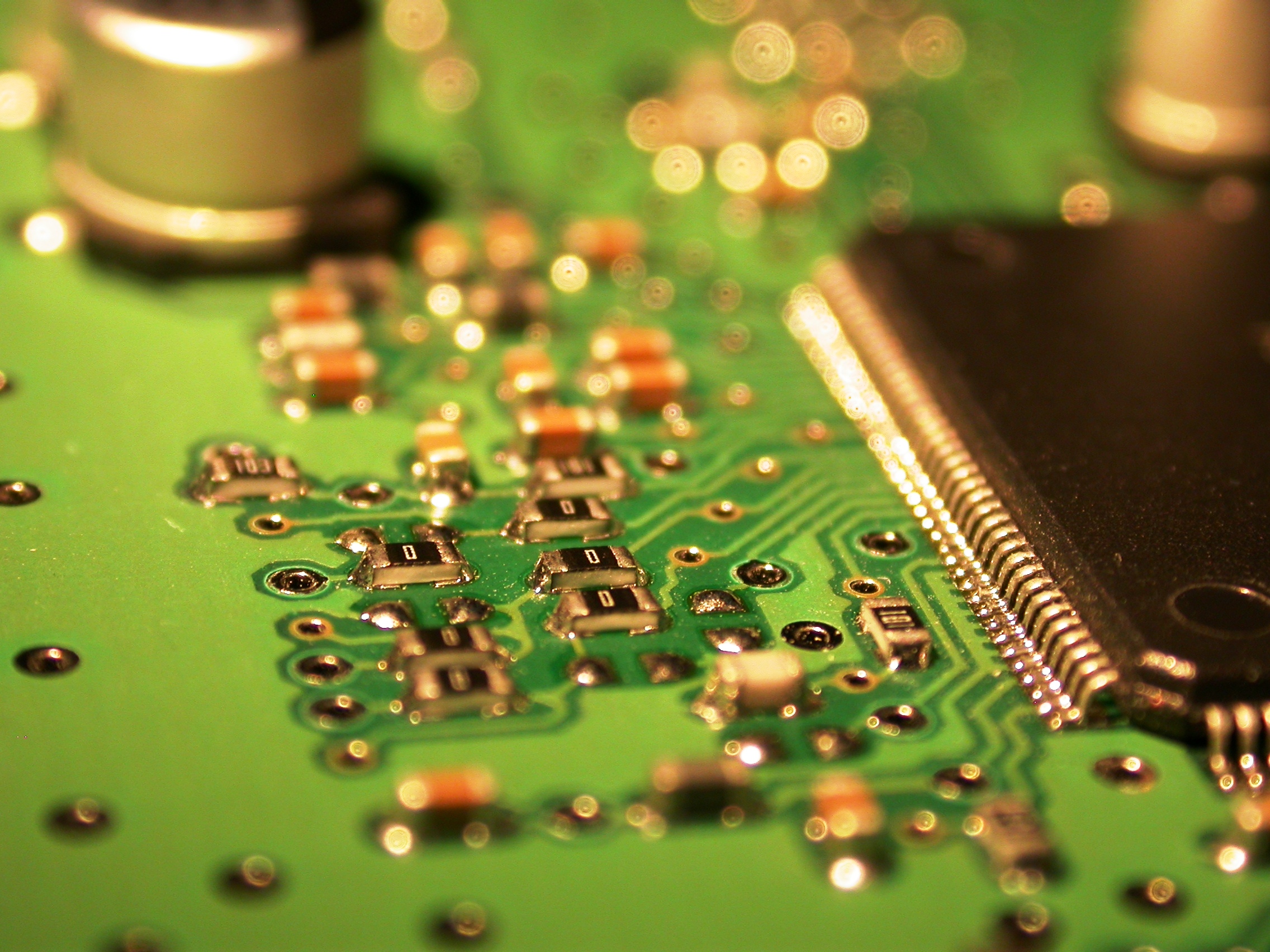
For instance, a great many laptops are equipped with a video card actually a part of the motherboard. This means, it’s not possible to take out the video card and replace it. In these circumstances you will have to replace the motherboard itself. With the motherboard, you might be taking out the network adaptor, sound card, and several other components in addition to the video card. In fact, in the end you may find that it’s much cheaper to buy a new laptop!
You should take your time to choose the right company that offers you best deal on laptop repair in your area, and choose the best one for the job.
Read more about laptop repair
Softque Premier Computer Services
1155 S. Power Rd. 107
Mesa, AZ 85206
480-832-4600
http://softque.com/contact/

Friday, October 3, 2014

Not All Tablet Repair Shops are the Same

Tablet PC repair is necessary for no other reason than how much abuse a tablet has to endure. Let's face it, as much as you try to take good care of your device, damages are sometimes unavoidable. And a lot can go wrong...
Call Today for Tablet Screen Repair in Mesa | 480-832-4600

Tablet PC Repair: Common Problems

Tablets are durable, however, a lot of problems can come up including a cracked LCD screen, buttons that suddenly stop working, power related issues, and many others. Rather than getting rid of your tablet for a minor problem, it may be a better idea to go on a serious search for a reputable and experienced tablet PC repair service. All you have to do is know what to look for and what to avoid.
Find a qualified and experienced service provider. First, you need to check on their qualifications and certification before settling on any repair service out there. Look for a technician with the necessary qualifications to do the repair job. Do not take your expensive tablet PC to an amateur. However, all the certificates in the world are no substitution for experience.

Experience Counts Too With Tablets

Consider looking for a company that has been in business for quite a long time. An experienced computer repair service is well-versed with new technologies and can easily meet your needs. New companies may be cheaper, however, they may not know as much as someone who has been in the field awhile.
Reputation and credibility are other aspects to look at. It is advisable to go for a tablet repair service with a good reputation. When in doubt, check 'em out. Look for reviews, both good and bad, and make sure that there are not any complaints filed against the company in question. Look at the comments from previous clients before you make your final decision.
Another thing to think about is their customer service and lastly, you need to consider the price they charge for the repair service. Bear in mind that these professionals charge different rates for their services. This may either depend on the amount of repair necessary or other factors. Never compromise quality when looking for cheap deals out there. Always look for a provider who offers quality tablet pc repair services at affordable rates.
To read another of our articles on this subject click here.
Softque Premier Computer Services
1155 S. Power Rd. 107
Mesa, AZ 85206
480-832-4600
http://softque.com/contact/

Monday, September 29, 2014

More Reasons for Professional Tablet Screen Repair

There are several more reasons why you want to give serious thought to professional Tablet screen repair
Get Tablet Screen Repair in Mesa, AZ | 480-832-4600

Tablet Screen Repair

As we covered in our last article, Tablets are not cheap. I t is far more cost effective to repair something that you have as opposed to buying a new one. If you need more convincing, one of the things that is bad ecologically is electronic waste. There are millions of old computers, cell phones, and even Tablets that have been thrown out. While some companies are recycling old electronics, a lot of these old components are in landfills, and they're bad for the groundwater.
So, if you repair your Tablet, you're also helping the planet which there is no price tag on. If you're worried about the money, again, remember, that it is cheaper to repair your tablet than to buy a new one. And you definitely want a professional to fix your Tablet.
Why get a professional to fix your Tablet? An Tablet is deceptively simple. It only has a few buttons on it, and most of its functionality is controlled via the touch screen. The buttons are highly durable, and the case can take a bit of punishment. Where an Tablet is most vulnerable is the touch screen.

Screen Repair for your Tablet

An Tablet touch screen is essentially a plate of glass with a liquid crystal display (LCD) behind it. As a result, the glass is the most vulnerable piece. Even though the glass is tempered and a lot tougher than regular glass is, it is still glass. If you drop your Tablet the wrong way you can crack your case and worse yet, crack or shatter the glass itself. If that happens, your touch screen will obviously stop working, or at the very least work intermittently. Now it is possible to buy a new piece of glass in the right size, and if your digitizer is okay you can install it yourself.
Notice, we said 'if.' You could shell out some money to get a new piece of glass and find that your digitizer is shot too, which is more expense as well as effort on your part. In addition, you could repair your Tablet screen only to find that you have just given your Tablet phantom touches, as we covered in our last article.
So remember, you want to take care of your Tablet. Clean it gently every now and then, and follow the recommended care instructions in your manual. And if you need Tablet screen repair, take it to a professional.
Softque Premier Computer Services
1155 S. Power Rd. 107
Mesa, AZ 85206
480-832-4600
http://softque.com/contact/

Friday, September 19, 2014

Repairing an Tablet Screen: It's Not Just Glass

When you need to repair your Tablet screen, there are several things you need to know.
Call Today for Tablet Screen Repair in Mesa | 480-832-4600

Why Should You Take Your Tablet in For Screen Repair?

Tablets contain a lot of your important data and loosing it can really be a serious blow. Repairing or replacing a screen requires specialized tools and should only be done by an experienced professional.

Phantom Touches and Screen Repair

Your tablet is sitting on your desk or coffee table. All of a sudden, it turns on and next thing you know, it opens up your bank account. You panic and think that it is a hacker attack. You exit out of your online banking screen and try to calm down, when it happens again. This time it opens up one of your pictures. You run your antivirus software, and nothing. You've just experienced a phantom touch, which usually happens when your digitizer is either acting up or has been connected improperly.
Life can often be stressful, and one source of this stress is when something that you're expecting to work does not work. When that happens, get it to someone who can help, like someone who does tablet screen repair in Mesa.
Read another article about tablet screen repair.
Softque Premier Computer Services
1155 S. Power Rd. 107
Mesa, AZ 85206
480-832-4600
Get Computer Virus Removal

Friday, September 12, 2014

On Site Support: House Calls For Your Computer

On site support is a service that is useful on so many levels.
Call Today For On-Site Support 480-834-1318

On-Site Support is Convenient

A laptop is easy to move. After all, it's designed to be portable. However, what happens if your desktop computer stops working? Or maybe you have a computer network where the computers aren't talking to each other. What can you do in cases such as these? Well, you have a lot of stuff to haul in to your repair shop.
That is unless you call for on-site support. A tech can come to your home or place of business and work on your computer or network without all the hassle of unplugging everything and hauling a fairly heavy metal box out to your car. In the cases of a computer network and its nodes and peripherals, the need is even more pronounced, particularly if multiple components aren't working correctly. A visit from a tech can sometimes clear up the problem fairly quickly.

Do I Really Need On-Site Support? Can't I Fix it Myself?

A great many computer problems are surprisingly simple to fix. That is of course if you know what you're doing, and that's where the trouble really starts. A lot of people think that they can fix computer problems on their own. That is one reason we are still in business as a computer repair shop and have been for 25 years. We've had people who have done something as simple as remove a program the wrong way and then their computer won't boot back up, or in one case, we had someone at an office who installed a memory board incorrectly in his server and managed to short the memoryboard , a very expensive mistake. When we looked at the computer, he was actually lucky that he didn't fry his motherboard as well.
Taking the guesswork out of things is always a good idea. Working on a computer or a network yourself requires more than a bit of knowledge, and more than a little guesswork. Sometimes, problems can have more than one cause. Computer slowness for example could be too many processes running at once or it could be a sign of a computer virus, or it could have several other causes.
So if you don't know, don't just guess. Call someone who can help you solve your computer problem quickly and efficiently. Call for on-site support services today.
Read one of our previous articles about typical computer problems here.
Softque Premier Computer Services
62 N Stapley Dr.
Mesa, AZ 85203
480-834-1318
Contact Us

Friday, September 5, 2014

Computer Repair Vs Keeping Your Computer

If you're thinking of heading out to buy a new computer, there are several things you should know before you open your wallet.
Time to Get a New Computer? |480-834-1318

Operating System Changes and New Computers

First off, is your computer working and is it fast enough? If it is, then keep it, and don't let a software company tell you that you have to upgrade. Companies such as Microsoft are for profit corporations, and as such, they want you to buy new software, all of which they claim is "improved." However, sometimes, that software is not an improvement. Look at Windows 8 for example, it has net been overly popular
So many people were confused by the new interface that there were whole libraries on how to change the interface back to the classic desktop. Some clients are perfectly happy with their Windows 7 interface, or are still using Windows XP. Does that mean that you should never upgrade your computer?
You should upgrade your computer when it reaches certain levels that are critical. Examples of when you would do this include when your existing microprocessor isn’t powerful enough to do the new things you want to do, or the programs that you want to buy are not compatible with your system. That's when buying a system is a more viable option than just repairing the old system it when it starts to malfunction.

Buying a New Computer: Never Go Cheap

People like to save money, however, make sure that when you buy a computer, it is at or somewhat above your minimum requirements. If you do this one simple step, you are not going to have to constantly upgrade it later on. Otherwise, you are going to be dealing with a lot of buyer's remorse. On the other end, don't go too high end for a computer that is way more than you need. A grandmother who needs her computer to run her home business's accounting software isn't going to need a hyper-accelerated server with tons of RAM and hard drive space.
Remember, a computer is a tool that should enhance your life or make it more convenient. Settling for something simply because it is cheaper is like trying to convince yourself that a beat up car is the exact same thing as a high-performance race car. Making the right decisions will not just get you a good computer, it will allow you to get the best computer ever.
When buying a new system, the most important thing to remember is that the quality and longevity of consumer grade electronics (including computers and laptops) has gone nowhere but down. Always confirm the quality of a new system before buying. You may pay a little more, but in our experience you will be better served. At SoftQue, our focus has always been on building and selling quality new and re-manufactured computers and laptops.
Read another article about computer repair and replacement here.
Softque Premier Computer Services
62 N Stapley Dr.
Mesa, AZ 85203
480-834-1318
softque.com

Friday, August 29, 2014

Where to Find Computer Parts

Your computer repair shop in Mesa can help you with more than just repairs. Did you know that you can also get computer parts and accessories as well?
Get  the Right Computer Parts and Accessories in Mesa | 480-834-1318
Get the Right Computer Parts and Accessories in Mesa | 480-834-1318

The Right Computer Parts and Accessories

Some things are easy to find such as computer keyboards and computer mice. You can get USB flash drives often at a grocery store, but even with their availability elsewhere, you should really think about buying computer parts and accessories at your computer repair shop.
As to why, that's simple. A computer repair technician can ask you tech-related questions about your computer to make sure that you're getting the right parts and accessories. Questions like: What operating system are you using? How much hard disk space do you have? How much memory do you have? Why do these questions matter for a computer accessory or a part? Well, while some just require you to plug in to a USB port, some will require you to install some software. You can't really see your grocery store manager or sales clerk asking these sorts of questions or knowing where to guide you. It isn't really their job.

A Computer Repair Shop Will Have a Bigger Selection

The difference between a computer repair shop and a big box electronics store is that the bigger stores are all about moving products and driving sales. In some cases, salespeople that work there are commission only, and as such even though all you may need is some new computer speakers, if you're not careful, you can walk out with a bunch of stuff that isn't really necessary and will cost you more. In addition a big box electronics store has nothing vested in the community. While on a larger scale the company cares about their reputation, they're not going to have a vested interest in keeping people in the community happy.
A computer shop on the other hand has a lot more to gain or lose. We want satisfied customers because we know that one happy customer equals a dozen or more satisfied customers because they'll tell all their friends and family about their experience. We thrive on word of mouth as does any local business. In some cases, our customers are part of some very tight-knit communities such as gamers.

So we have everything to gain by giving you not only the right computer for your needs, but the right computer parts and accessories as well.
Softque Premier Computer Services
1155 S. Power Rd. 107
Mesa, AZ 85206
480-832-4600
Get Computer Parts in Mesa

Friday, August 22, 2014

More Reasons for Professional Tablet Screen Repair

There are several more reasons why you want to give serious thought to professional tablet screen repair.
Tablet Repair also includes repairs to your screen|  480-834-1318
Tablet Repair also includes repairs to your screen| 480-834-1318

Why Have a Professional Repair Your Tablet Screen ?

Our last article covered tablet screen repair as well. However, a lot of what we discussed doesn't cover what can go wrong with trying to do it yourself.  First off, you can't separate a tablet PC from its screen. Unlike a PC where if your monitor goes out and you just get another one, you don't have that option with a tablet or iPad screen. It's kind of like trying to replace the screen on a laptop only more so. After all, with a tablet PC or iPad, the screen is the computer.
In our last article, we covered reasons to get tablet screen repair done by a professional. Here are some additional reasons to consider. Let's say you followed every step perfectly. You turn on your iPad or tablet and absolutely nothing happens. And we do mean nothing. Your tablet doesn't power up. So you try it again. Again there's nothing. Can you determine what's wrong? Do you have the ability to know if you connected the wires right, or if you did, do you know if you disconnected something by accident? But let's say that you did connect everything correctly.
Even if you made the repair successfully, there’s no guarantee that the digitizer that you installed will work right and as a result, neither will your tablet. Sometimes, because of how sensitive a digitizer can be, your tablet or iPad can exhibit phantom touches. So you can be using it peacefully, and then the next moment, it will open something else up. When LCD technology works right, it is very easy to use. However, when it starts to go wrong, it can turn any time on your tablet into a stress headache really fast.

LCD Screen Repair is Not For Everyone

Even if you have a fairly cheap tablet, you don't want to have to replace it. As we covered in one of our earlier articles, unless you have some sort of cloud backup or image of your computer, you have a good chance of losing your files if you have to get a new tablet. So in other words, you'll have the tablet, just not the data.
We have seen it happen a lot. We get people that come in and tried to fix their tablets on their own, and lost all their contacts, their photos, and their files. By the time they were done with all the parts and tools their so-called easy and inexpensive screen repair turned into a big expense and a major hassle.
So remember, there are some things that are easy to fix. But when you get into something like tablet screen repair, then you're better off contacting a professional.
Softque Premier Computer Services
1155 S. Power Rd. 107
Mesa, AZ 85206
480-832-4600
http://softque.com/contact/

Friday, August 15, 2014

Tablet Screen Repair

Do you need to repair your tablet screen? Then you need to get it into a shop.
In a previous article, we covered getting a new laptop.  A cousin of the laptop is a tablet PC or iPad.
Call Today for Tablet Screen Repair in Mesa | 480-832-4600

When Should You Repair Your Tablet Screen?

When should you repair your tablet screen? Well, consider if you will. Even with an add-on keyboard, a tablet or iPad is largely dependent on it's touch screen technology. Without a functioning screen, your $300 tablet can easily become a very expensive clipboard, or tomorrow's charity donation or electronics recycling pickup. Something that you must know is that you want to get it into a repair center and not try to fix it yourself.
Why? Well for one thing, while you can buy the glass you need, not only are you going to need a whole bunch of tools that you may or may not have, it may not be just the screen that's damaged. You’ll need to get a replacement screen, with a digitizer attached to it. The digitizer is what translates your taps and gestures into input on the iPad. While all the tools, the glass and LCD aren't that expensive, there are a few problems that all the do it yourself guides don't cover.

Even an iPad Needs to Be Backed Up

For example, there are a few cables that run just around the edges of the front glass panels. If you don't connect them properly, or worse yet, if you damage them, not only will your screen not work, it will force you to have to go out and get even more parts. However, let's say for the sake of argument that you have read up on a few websites, and you now consider yourself to be an expert in how to repair a tablet screen.
Have you considered what would happen to all of your data if you don't do something right? You have a good chance of wiping all or part of it out. That's where a place that does tablet or iPad screen repair has a clear edge. They know all the steps to follow to help protect your data as well as replace your screen.
So remember, it isn't what you know that can cause you a big problem. It is what you don't know. And what you don't know about repairing a tablet screen could cost you your tablet.
For more information on tablet screen repair, be sure to read part two of this series.
Softque Premier Computer Services
1155 S. Power Rd. 107
Mesa, AZ 85206
480-832-4600
Get Tablet Screen Repair
Get Computer Virus Removal

Friday, August 8, 2014

Should You Buy a Remanufactured Computer?

Should you buy a remanufactured computer? Well, before you do, there are a few things that you should be aware of...
Buy a Reconditioned Computer in Mesa | 480-834-1318

Do Remanufactured Computers Have a Warranty?

In our last article, we covered getting a brand new laptop.  This article will focus on buying a reconditioned computer and why it may not be a bad idea for you to consider.  Ordinarily a remanufactured computer has gone through a full series of tests at the factory before being sent back out. Why would you want to buy a reconditioned computer? Well, for one, a substantial cost savings. Sometimes, you can get a top of the line computer for about a third of the price of buying it new or even lower. For a small business owner concerned about their bottom line, or a financially-strapped gamer, these savings can really add up.
Do remanufactured computers have a warranty? Ok, first off, some remanufactured computers do not have a warranty. That's a requirement. Only buy a remanufactured computer with a full warranty. That way the original issue that the computer was sent back for will be a covered part as well as any other issues as well. That way you can rest assured that your computer is a good purchase and not one you'll regret later.

Are Refurbished Computers Right For Everyone

A refurbished computer is not right for everyone. If you're all about flash, and showing off the newest tech, then you'll want to go new and not refurbished. Another thing that you must check carefully is what features come with your remanufactured computer. Does it have a keyboard, a mouse, and a monitor? If you want to use your own, are the connectors there and are they compatible. If your mouse is an older PS/2 type, it won't work if all you have is USB ports on the back. On the subject of USB ports, how many are there? Does your computer have all the cords too?  W

hen you're getting ready to buy, this is kind of like kicking the tires on the car. Make sure you ask some questions of the computer shop too. That way you're not getting just a reconditioned computer, you're getting the best computer ever.
Softque Premier Computer Services
62 N Stapley Dr.
Mesa, AZ 85203
480-834-1318
Buy a Refurbished Computer

Friday, August 1, 2014

Buying a New Laptop: What You Should Know

If you want to buy a new laptop, there are several things you want to know before you reach for your wallet.
Buy a Laptop | 480-834-1318

What Are You Going to Use Your Laptop For?

What are you going to use your laptop for? A marketing executive is going to have different needs than a college student. How often are you going to be hauling it around and where? Knowing the answers to questions like this
helps you to get the right laptop. If you are mostly going to use a laptop for writing, you want three things: durability, a good keyboard, and a screen that is sharp and easy to read. Although some of the must have features on a laptop are shared, someone who is using a laptop for gaming is going to have much different needs, however.
Gaming is supposed to be fun. If you settle for a low-end laptop, however, pretty soon, you're going to give up gaming for another activity because you won't be able to stand the aggravation of slow graphics, slow speeds, and constantly losing the latest round online. That's why if you're a gamer, don't go cheap. Although we DO NOT recommend laptops for gaming (Because they get so hot), if you are set on a gaming laptop, buy a laptop with a high-end processor, top-of-the-line discrete graphics and a dual-core processor, a monitor with very high resolution and great speakers. If you don't know what to buy, Dell Alienware and ASUS are great brands and it is easy to get a custom specifications.

What Laptop's Best for a Graphic Designer

What laptop should you get if you're a graphic designer? Well, you are going to need a high end laptop, much like a gamer. However, in addition to the high-end processor, good graphics and video features, as well as a high-resolution monitor, you're going to need full HD or higher. All of these features work together. You'd need a fast processor to stop lag when you're editing images. For video you need to have the ability to play it real time without buffering.
Ideally, you don't just want to buy a laptop from the store. You want to make one that is a perfect fit. The best place to get this done is at a shop that sells custom-made laptops
Softque Premier Computer Services
62 N Stapley Dr.
Mesa, AZ 85203
480-834-1318
Buy a Laptop in Mesa

Friday, July 25, 2014

Computer Repair or Computer Replacement Part 2

Part two of our series on computer repair or replacement focuses on some important things to note when you're looking at purchasing a new laptop or PC.
computer parts
Buy a New Computer | 480-832-4600

Computer Sales: What Price Range Are We Talking ?

When it's time to buy a new computer, make sure that you avoid some pitfalls. First off, don't always count on a brand name to be a perfect match for your needs. One thing that has started to happen to some computer companies is that they've merged and in a lot of cases, the quality on them has taken a header. A lot of times people operate under the illusion that if they pay more for a computer they're getting a good computer. Some times, though, what they're paying for is glitz.
Sometimes consumers see the plastic on the monitor and the keyboard and see all the numbers on the side of the box such as 1080p, 8gb memory, 1TB hard drive, etc. They get their computer home, but failed to notice one little word on the side of the box: refurbished or pre-owned. Or maybe it's new, but there is no monitor included, or a keyboard, or a mouse for that matter. All of a sudden, the 'great deal' they got doesn't look as great. This problem is more pronounced with a hardcore gamer.

Buy a Custom Computer System Instead

For a good price, you can buy a new computer that is custom made to your specifications. Gamers for example have a long list of 'must-haves,' for any computer they'll be playing the last MMORPG on. A custom computer system can be made with more memory, more speed, whatever a customer would need. However, it isn't just gamers that do well by going custom.
Sometimes, some businesses have special needs. Maybe they need a new server, and they are operating on a budget that will preclude a pre-made box, however, they need some the capabilities that a server out of the box will have. That's where a custom computer shop comes in.
One thing is for sure, buying a “corporate” quality remanufactured computer/laptop, or a good custom computer from a reputable local shop is always a good bet. You will almost always get much higher quality, better performance, and someone you can build a relationship with to help with questions and problems. At SoftQue, our technicians have years of experience, computers are what they do, they are nerds that live for this stuff and are happy to help you.
For more information on computer repair and replacement, be sure to read part one.
Softque Premier Computer Services
1155 S. Power Rd. 107
Mesa, AZ 85206
480-832-4600
http://softque.com/contact/

Friday, July 18, 2014

Computer Repair or Computer Replacement Part 1

First off, we can't stress this enough. Back up your computer. Why? Well, think of it this way, you may have a ticking time bomb on your hands.
Get  Data Recovery in the Event of a Hard Drive Crash | 480-834-1318
Get Data Recovery in the Event of a Hard Drive Crash | 480-834-1318

Do You Need to Back Up Everything?

Do you need to back up everything? As a rule, you only have to back up your data. Most people either have discs, an online resource, or other method of backing up their computer's software. It is important to note, however, that even with software, you always want to back up everything that can't be replaced. What causes data loss?
Usually data loss is due to either a software problem, or a hardware issue such as a hard drive crash. Sometimes, data loss is irreversible, and the files are just gone, particularly in the case of a nasty computer virus. Other times, however, things may not be as bad as they seem.
If something has taken out your files, first off, don't panic. We may have a solution for you.

Hard Drive Data Recovery

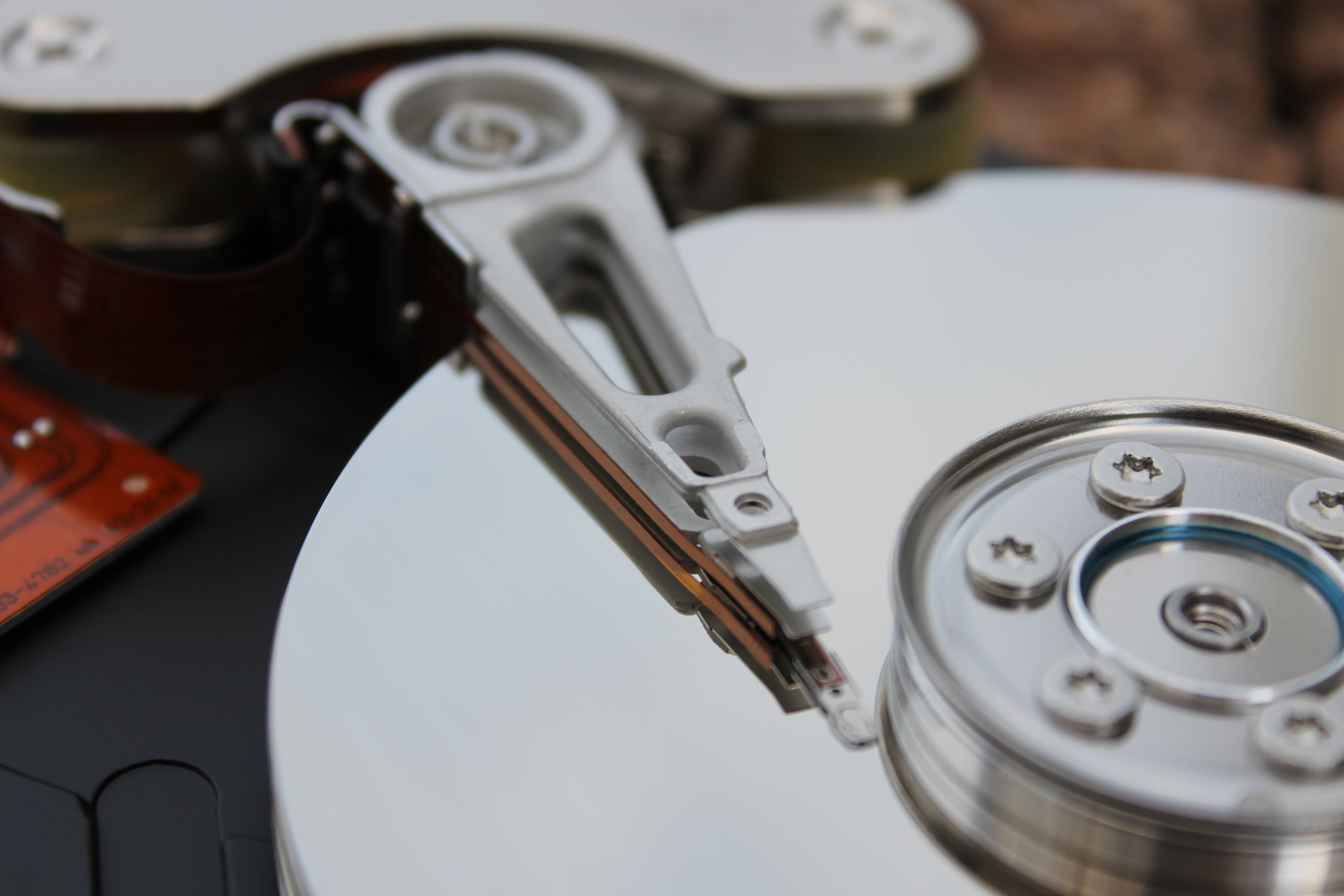
Sometimes, your files aren't lost. Sometimes, all it takes is a hard drive data recovery service like ours to be able to bring some if not all of your data back. We have a lot of people ask us if we can guarantee that their data will be recovered. Unfortunately, there are no guarantees. We do however have a great many tricks that we can do that might be able to bring your files back. Prevention is best, data recovery can be expensive.
So, remember, whether you have a desktop or a laptop, back up your computer, and make sure you have backups of all your software as well. Ideally, you want to have two backups, one in your home or office and one offsite.
And if you've lost some files, come in and see about data recovery
Softque Premier Computer Services
62 N Stapley Dr.
Mesa, AZ 85203
480-834-1318
Contact Us

Saturday, July 12, 2014

Data Recovery and Backing Up Your Computer

First off, we can't stress this enough. Back up your computer. Why? Well, think of it this way, you may have a ticking time bomb on your hands.
Get  Data Recovery in the Event of a Hard Drive Crash | 480-834-1318
Get Data Recovery in the Event of a Hard Drive Crash | 480-834-1318

Do You Need to Back Up Everything?

Do you need to back up everything? As a rule, you only have to back up your data. Most people either have discs, an online resource, or other method of backing up their computer's software. It is important to note, however, that even with software, you always want to back up everything that can't be replaced. What causes data loss?
Usually data loss is due to either a software problem, or a hardware issue such as a hard drive crash. Sometimes, data loss is irreversible, and the files are just gone, particularly in the case of a nasty computer virus. Other times, however, things may not be as bad as they seem.
If something has taken out your files, first off, don't panic. We may have a solution for you.

Hard Drive Data Recovery

Sometimes, your files aren't lost. Sometimes, all it takes is a hard drive data recovery service like ours to be able to bring some if not all of your data back. We have a lot of people ask us if we can guarantee that their data will be recovered. Unfortunately, there are no guarantees. We do however have a great many tricks that we can do that might be able to bring your files back. Prevention is best, data recovery can be expensive.
So, remember, whether you have a desktop or a laptop, back up your computer, and make sure you have backups of all your software as well. Ideally, you want to have two backups, one in your home or office and one offsite.
And if you've lost some files, come in and see about data recovery
Softque Premier Computer Services
62 N Stapley Dr.
Mesa, AZ 85203
480-834-1318
Contact Us

Friday, July 4, 2014

Laptop Problems and Laptop Repair

You will have to put laptop repair on your to-do list sooner or later. Laptops after all, have to go through a lot more wear and tear than a desktop PC does.
Get Laptop Repair | 480-834-1318

Laptop Power Issues

Laptops are all about freedom. With a laptop, you can do your work in a classroom or a boardroom, in a coffee shop or in an airport terminal. But what happens when your computer keeps running out of battery power, even though you've been charging it? Well it is possible that you may have a frayed power cord, which is a relatively simple laptop repair.
As a rule, laptop cords go through a lot of punishment. If you're like most people, your laptop cord is coiled and uncoiled every time you use it, sometimes, several times a day. Power cords aren't meant to be coiled, and after a while, the wires inside the cord begin to fray, which ultimately makes the power cord stop working. Buying a new power cord for your laptop should fix the issue. But what if it doesn't? Sometimes, it may not be your cord that is starting to go, it may be your connector itself. Both a frayed cord and a broken connector are potentially serious problems however, if you don't do anything about your power issue, your laptop's battery could potentially be damaged as well. Another thing to watch out for is your laptop's fan.

What to Do With a Noisy Laptop Cooling Fan

If your laptop's cooling fan is going out, or has gone out, it is potentially serious. Why? Well, a laptop is more compressed than a desktop PC, which means that the processor as well as the other internal components can run a lot hotter than a desktop can. Without enough cool air coming in, your laptop will start to overheat. Sometimes, the fan may just be clogged with dust. Try a bit of compressed air through the grills to clean out the dirt. If your laptop fan is still acting up we recommend taking it to a computer repair shop. If you don't know what you're doing where a laptop is concerned, you could end up causing more damage to your laptop.
So remember, even though laptops have dropped in price, you still don't want to replace your laptop. Instead, take care of it, and get it in for laptop repair in Mesa if necessary.

Softque Premier Computer Services
62 N Stapley Dr.
Mesa, AZ 85203
480-834-1318
softque.com